Overview & Philosophy
Welcome to the Game Event System, a professional, enterprise-grade event architecture designed to decouple logic, visualize complex flows, and bring order to event-driven chaos in Unity.
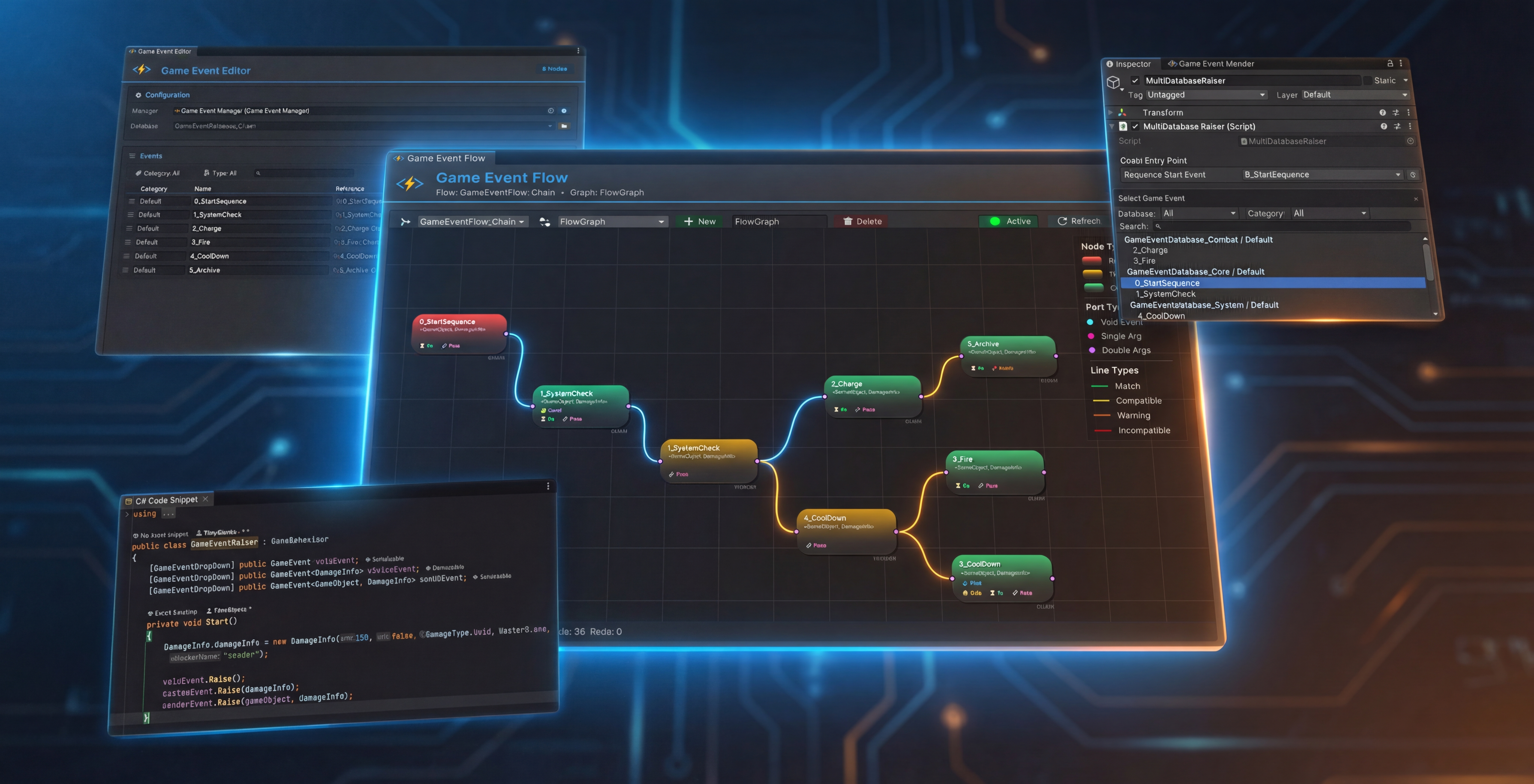
🎯 The Design Philosophy
In traditional Unity development, event management often devolves into "Spaghetti Code"—tightly coupled scripts, invisible delegate chains, and logic scattered across dozens of components.
TinyGiants.GameEventSystem solves this through a rigorous Hybrid Workflow philosophy:
- Code for Logic: Programmers define when events fire (
Raise) and what responds (Listeners). - Inspector for Binding: Designers wire events to scene objects using visual, drag-and-drop interfaces—no coding required.
- Graph for Orchestration: Complex sequences (Triggers & Chains) are orchestrated in a visual node graph, not buried in coroutines.
💎 Why Choose This System?
ScriptableObject-Driven Architecture
Events are Assets, not fragile string keys or hardcoded references.
- Complete Decoupling: Senders never know about receivers—fire once, notify many.
- Cross-Scene Persistence: Events exist independently of scenes and survive scene transitions.
- GUID Identity System: Every event has a unique, immutable GUID. Rename files, move folders—references never break.
- Multi-Database Support: Split events into modular databases for team collaboration and dynamic runtime loading.
Visual Flow Orchestration
Stop hunting through code to understand "what triggers what". The Visual Flow Editor transforms invisible logic into clear, maintainable graphs:
- Triggers (Fan-Out): One event spawns multiple parallel actions—perfect for "OnDeath" firing "PlaySound", "SpawnEffect", and "UpdateUI" simultaneously.
- Chains (Sequential): Step-by-step execution with built-in delays and completion waiting—ideal for cutscenes and tutorials.
- Hybrid Flows: Mix parallel and sequential logic in the same graph for maximum flexibility.
- Group Organization: Color-coded groups keep large flows organized and comprehensible.
Type-Safe, Zero-Reflection Performance
Unity struggles with generic serialization. We solved it.
- Automated Code Generation: Generates concrete classes (
IntGameEvent,PlayerGameEvent) for your custom types automatically. - Expression Tree Compiler: Conditions compile into high-performance Lambda delegates at initialization—no runtime parsing or reflection cost.
- Native Inspector Support: Full
UnityEvent<T>compatibility with type safety guaranteed at compile time.
🧩 Core Capabilities
This system scales from rapid prototyping to data-heavy, live-service productions.
💎 Core Architecture
| Feature | Description |
|---|---|
| ScriptableObject-Driven | Asset-based events enable complete sender/receiver decoupling and cross-scene references. |
| GUID Identity System | Unique identifiers ensure references survive file renames and folder reorganization. |
| Comprehensive Generic Support | Native support for parameterless Void, single-parameter GameEvent<T>, and source-aware GameEvent<TSender, TArgs>. |
| Multi-Database Management | Multiple event databases allow modular organization and dynamic loading in large projects. |
| Category System | Custom string-based categorization for efficient filtering within vast event libraries. |
| Auto Static Reset | [RuntimeInitializeOnLoadMethod] automatically clears static caches, preventing Editor Play Mode pollution. |
💡 Learn More
- Understand databases in Managing Event Databases >
- Explore the dashboard in Hub System Dashboard >
🕸️ Visual Node Graph & Orchestration
| Feature | Description |
|---|---|
| Visual Flow Editor | Zoomable, pannable node graph canvas for orchestrating complex event dependencies. |
| Node-Based Configuration | Visually configure Delays, Loop Counts, Priorities, and Persistence directly on nodes. |
| Smart Connection Validation | Real-time visual feedback (Green=Match, Yellow=Compatible, Red=Error) prevents runtime mistakes. |
| Hybrid Execution Modes | Seamlessly mix parallel "Fire-and-Forget" triggers with blocking serial chains. |
| Full Undo/Redo Support | Custom snapshot-based history (Ctrl+Z/Ctrl+Y) enables worry-free editing. |
| Group Organization | Create visual groups with custom titles and colors to tame large logic flows. |
💡 Learn More
- Master the Flow Graph Editor >
- Configure node behavior with Node Behavior Configuration >
- Advanced flow graph logic in Advanced Logic Patterns >
🧠 Advanced Logic & Conditions
| Feature | Description |
|---|---|
| Expression Tree Compiler | Conditions compile into System.Linq.Expressions for zero reflection overhead at runtime. |
| Visual Logic Builder | Construct complex nested AND/OR logic without touching code. |
| Dynamic Value Sources | Compare arguments against Constants, Scene Properties (Reflection), or Random Ranges. |
| Argument Transformers | Dynamically extract and pass object properties between nodes. |
| Granular Flow Control | Per-node configuration: Wait for Completion, Wait for Frames, Conditional Gates. |
💡 Learn More
- Build visual logic in Node Behavior Configuration >
- See code-based logic in Programmatic Flow >
🎧 Listening & Binding
| Feature | Description |
|---|---|
| Visual Inspector Binding | Zero-code, drag-and-drop callback wiring using UnityEvent wrappers. |
| Priority Listeners | Integer-based priority sorting ensures critical logic executes first. |
| Conditional Listeners | Built-in predicate support—callbacks fire only when conditions are met. |
| Persistent Listeners | DontDestroyOnLoad support for listeners that survive scene transitions. |
| Dynamic Runtime API | Full AddListener / RemoveListener support for code-driven relationships. |
| Smart Type Safety | Automatic parameter mismatch detection during binding prevents runtime errors. |
💡 Learn More
- Bind via Inspector in Scene Reference Integration >
- Bind via Code in Listening Strategies >
- Configure behaviors in Event Behavior Configuration >
⚡ Flow Control & Automation
| Feature | Description |
|---|---|
| Event Triggers (Fan-Out) | One-to-many logic: single event triggers multiple downstream events (visualized). |
| Serialized Event Chains | Sequential execution with configurable inter-node delays (visualized). |
| Async Wait Mechanism | Chains wait for previous nodes to complete (Coroutine/Async) before proceeding. |
| Delayed & Repeating Execution | Built-in RaiseDelayed and RaiseRepeating with cancellable DelayHandle control. |
| Task Handle Control | Fine-grained cancellation of pending delayed or repeating events. |
💡 Learn More
- Visualize flows in Node Behavior Configuration >
- Code delays/loops in Raising & Scheduling >
- Advanced code flows in Programmatic Flow >
📜 Code Generation & Automation
| Feature | Description |
|---|---|
| Automated Concrete Class Generation | Solves Unity's generic serialization limitations automatically. |
| Tri-Mode Generation Strategy | Independent generation for Basic types, Custom types, and Sender types. |
| Compilation Pipeline Integration | Monitors Unity compilation to automate Select → Generate → Compile → Create workflow. |
| Smart Naming Resolution | Handles type conflicts and generates C#-compliant class and file names. |
| Safe Cleanup Tools | Identifies and batch-deletes generated code without breaking dependencies. |
💡 Learn More
- Manage code with Code Gen & Cleanup >
- Learn about Creating Events (Wizard) >
🎨 Editor Toolchain
| Feature | Description |
|---|---|
| Modern Dashboard Editor | Dashboard-style UI with statistics, search, pagination, and batch operations. |
| Batch Creation Wizard | Built-in fuzzy search for rapid creation of specific event types. |
| Smart Inspector Dropdown | Custom [GameEventDropdown] attribute replaces object fields with searchable, categorized selectors. |
| Scene Reference Finder | Scans the current scene to pinpoint which GameObjects reference specific events. |
| Smart Path Adaptation | Auto-detects plugin directory to support folder relocation. |
| Folder Protection | Intercepts asset moves to prevent accidental migration to 'Plugins' folder. |
| Database Health Check | Auto-detects and cleans orphaned sub-assets for project hygiene. |
💡 Learn More
- Manage events in Managing Events (Editor) >
- Find references in Scene Reference Integration >
- Community Support in Community & Support >
📊 Debugging & Profiling
| Feature | Description |
|---|---|
| Real-Time Monitor Window | Dedicated runtime panel visualizing system status. |
| Automation Tree Visualizer | Inspect active Trigger and Chain hierarchies in real-time. |
| Performance Profiling | Real-time stats: execution time (Avg/Min/Max), listener counts, GC allocation. |
| Deep Logging | Records timestamps, frame counts, parameter values, stack traces, and caller info. |
| Intelligent Warning System | Detects and alerts on high frequency, empty fires, or slow execution. |
| Visual Status Markers | Intuitive icons showing which events use Inspector vs Runtime bindings. |
💡 Learn More
- Debug with the Runtime Monitor >
🛠 Directory Structure Preview
Understanding the separation of concerns is crucial:
TinyGiants/GameEventSystem: Core plugin logic (Editor & Runtime).TinyGiantsData/GameEventSystem: Your data sanctuary—Databases, Flow Graphs, and Generated Code live here.
This separation ensures clean upgrades and prevents accidental plugin modification.
🚀 Next Steps
Choose your path to get started:
🎮 I want to see it in action
Open the included Demo Scenes to see the system running immediately.
- 00 Quick Start Demo: A minimal example showing basic event firing and listening.
🛠️ I want to create my first event
Follow the step-by-step workflow to integrate the system into your own project.
- Installation & Setup: Initialize the plugin managers.
- Hub System Dashboard: Open the control center.
- Creating Events Wizard: Use the Wizard to create your first event asset in under 60 seconds.
This system is battle-tested in production environments. Need custom features or integration support? Contact me via the AssetStore.