05 Priority: The "Combo" Execution Order
📍 Demo Info
-
Scene Preview
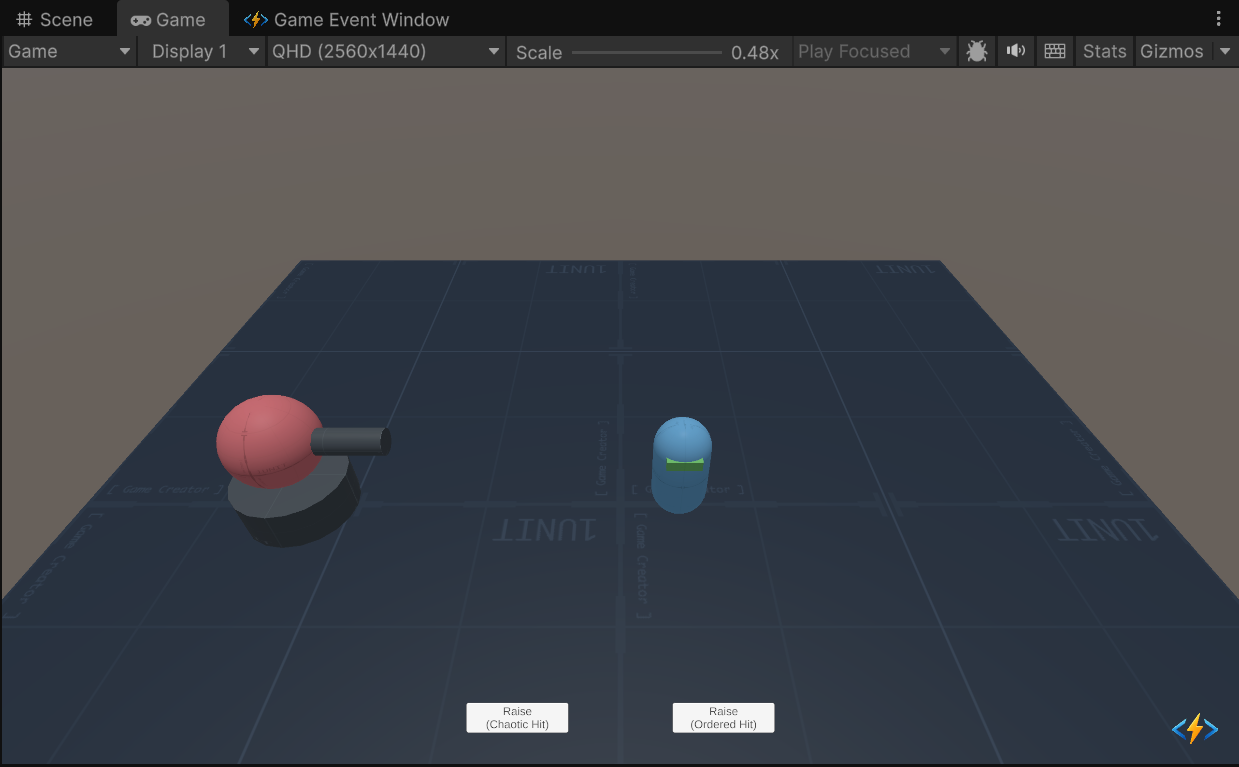
-
Scene Path
Assets/TinyGiants/GameEventSystem/Demo/05_PriorityEvent/05_PriorityEvent.unityGoalTo demonstrate how the Execution Order of listeners affects gameplay logic. You will see how dragging and dropping actions in the Inspector can change a "Normal Hit" into a "Critical Combo" without changing code.
📝 Description
The "Buff-Then-Attack" Problem
In game logic, sequence matters.
If you have an event OnHit that triggers two actions:
- ActivateBuff: Turns on a "Double Damage" flag.
- ResolveHit: Deals damage based on the flag.
- If (1) happens before (2) -> You get Double Damage (Success ✅).
- If (2) happens before (1) -> You get Normal Damage (Fail ❌).
This demo uses two events to show both scenarios side-by-side.
🛠️ Scene Setup
- The Turret: The attacker. It has a cannon and a glowing "Core" renderer.
- The Target: A capsule dummy.
- Two Events:
OnOrderedHit: Configured correctly.OnChaoticHit: Configured incorrectly.
🎮 How to Test
- Enter Play Mode.
- Click "Raise (Ordered Hit)" (Right Button):
- Observation:
- Turret turns Gold (Buff Applied).
- Projectile hits.
- Result: CRITICAL EXPLOSION + Screen Shake + Big Damage Text.
- Why? The Buff activated before the damage was calculated.
- Observation:
- Click "Raise (Chaotic Hit)" (Left Button):
- Observation:
- Projectile hits (Weak Smoke).
- Turret turns Gold (Buff Applied after impact).
- Result: Weak Hit + Small Text.
- Why? The damage was calculated before the buff was active.
- Observation:
🔑 Key Configuration
1. Event Definition (Editor)
We use the standard Sender Type <GameObject, DamageInfo> for context.

2. Receiver Action Binding (Behavior)
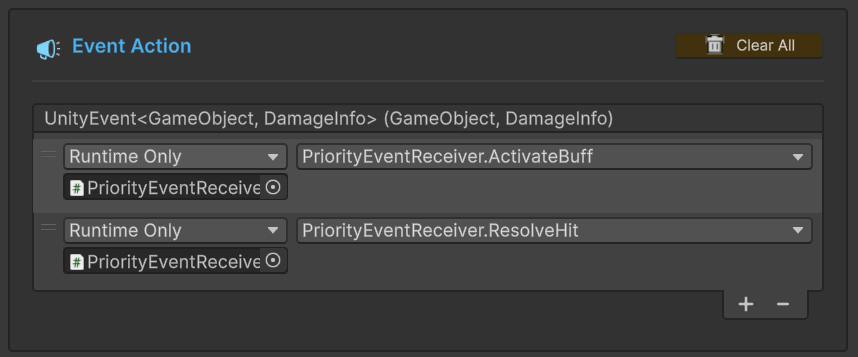
This is the most critical part. Open the Behavior Window for both events and compare them.
Correct Configuration (OnOrderedHit):
ActivateBuffis at the Top.ResolveHitis at the Bottom.- Flow: Buff -> Damage.
Incorrect Configuration (OnChaoticHit):
ResolveHitis at the Top.ActivateBuffis at the Bottom.- Flow: Damage -> Buff.
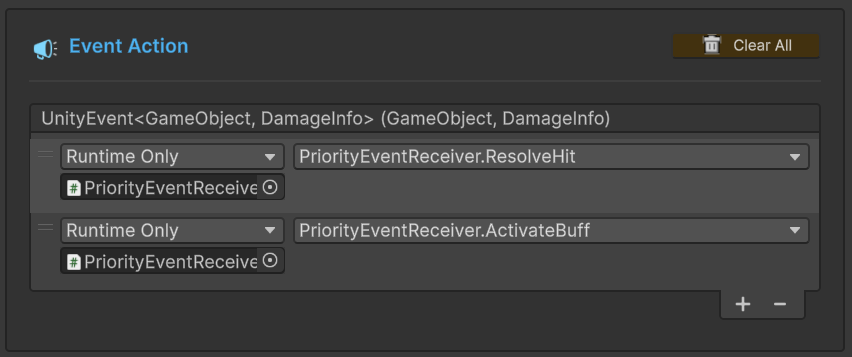
You can reorder these actions simply by dragging the handle (=) on the left side of the list. No code changes required!
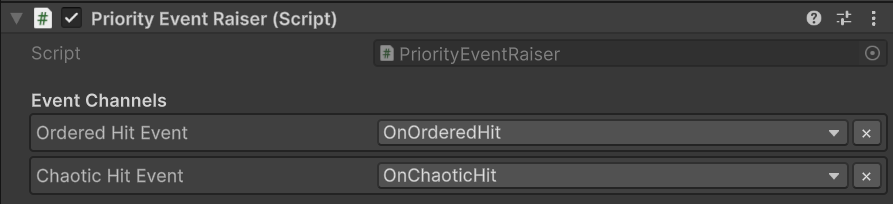
3. Raiser Event Assignment (Inspector)
The turret script holds references to both event channels.
💻 Code Walkthrough
1. The Sender (PriorityEventRaiser.cs)
The sender just fires the event. It doesn't know about the order.
public class PriorityEventRaiser : MonoBehaviour
{
    // Channel A: Configured Correctly
    [GameEventDropdown] public GameEvent<GameObject, DamageInfo> orderedHitEvent;

    // Channel B: Configured Incorrectly
    [GameEventDropdown] public GameEvent<GameObject, DamageInfo> chaoticHitEvent;

    public void FireOrderedSequence()
    {
        // ... Fire logic ...
        orderedHitEvent.Raise(this.gameObject, info);
    }
}
2. The Receiver (PriorityEventReceiver.cs)
The receiver logic depends entirely on the state of _isBuffActive.
public class PriorityEventReceiver : MonoBehaviour
{
    private bool _isBuffActive;

    // Action A: Sets the flag
    public void ActivateBuff(GameObject sender, DamageInfo args)
    {
        _isBuffActive = true; // <--- The critical state change
        // Play Gold Aura VFX...
        Debug.Log("(A) BUFF ACTIVATED!");
    }

    // Action B: Reads the flag
    public void ResolveHit(GameObject sender, DamageInfo args)
    {
        // Check state AT THE MOMENT of execution
        if (_isBuffActive)
        {
            // CRITICAL HIT Logic
            DealMassiveDamage();
        }
        else
        {
            // NORMAL HIT Logic
            DealWeakDamage();
        }

        StartCoroutine(ResetVisuals());
    }
}